
Accessing Generated Documents
All generated documents are automatically saved to the destination folder you selected in the General Settings tab during setup.
How to Access Your Published Documents
- Open Google Drive.
- Navigate to the folder you selected as the Output Destination when configuring Smart Form Publisher.
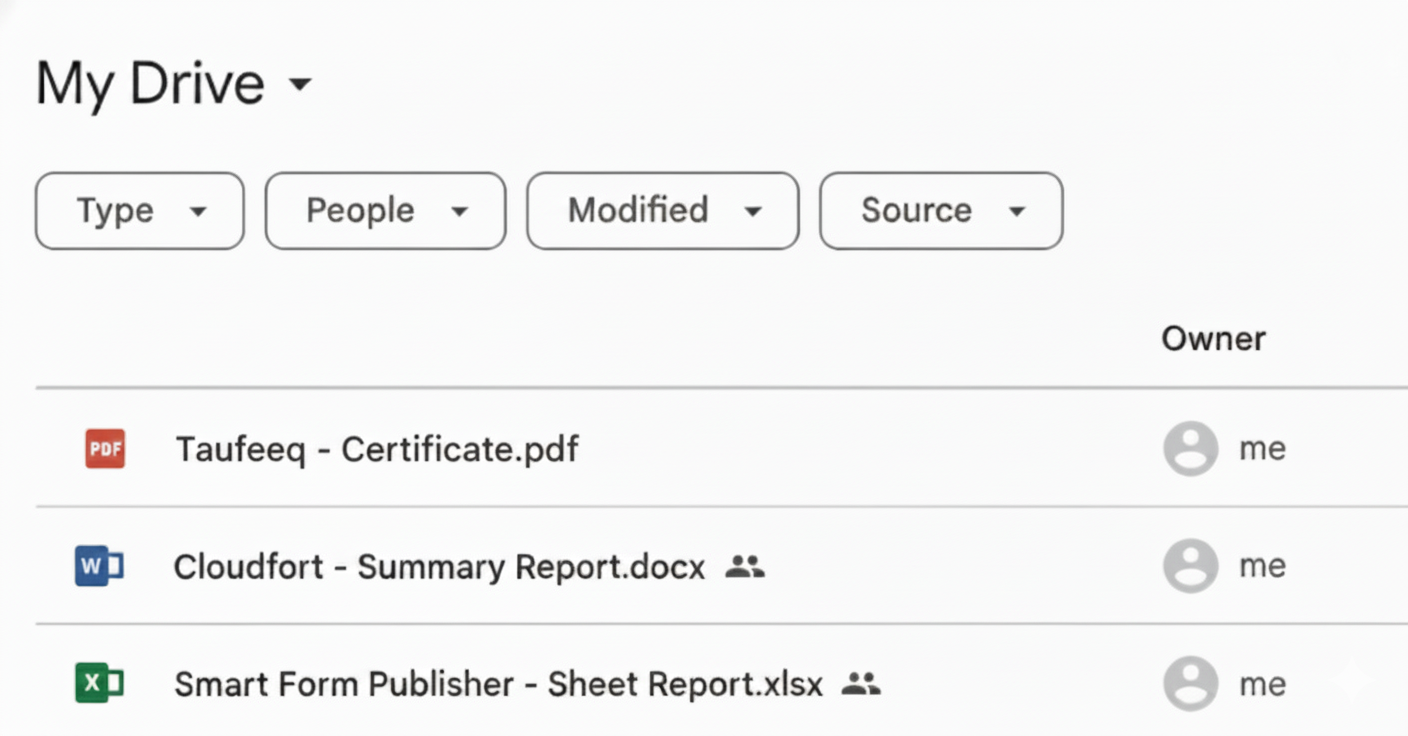
- You’ll find all generated files named according to your dynamic naming pattern — for example:
- {{Full Name}} - Certificate.pdf
- {{Organization}} - Summary Report.docx
- {{Project Title}} - Sheet Report.xlsx
Organization Tips
- Use meaningful file naming patterns such as {{Full Name}} - {{Date}} to keep your Drive organized.
- If you enabled subfolders by response, each respondent’s documents will appear in their own folder.
- Generated files retain the same sharing permissions and visibility you defined in your settings.
By following this structure, you can easily manage, locate, and verify all documents published through Smart Form Publisher.