
How It Works
Go from data collection to document generation in just a few minutes. Here’s how to get started with Smart Form Publisher for Google Forms.
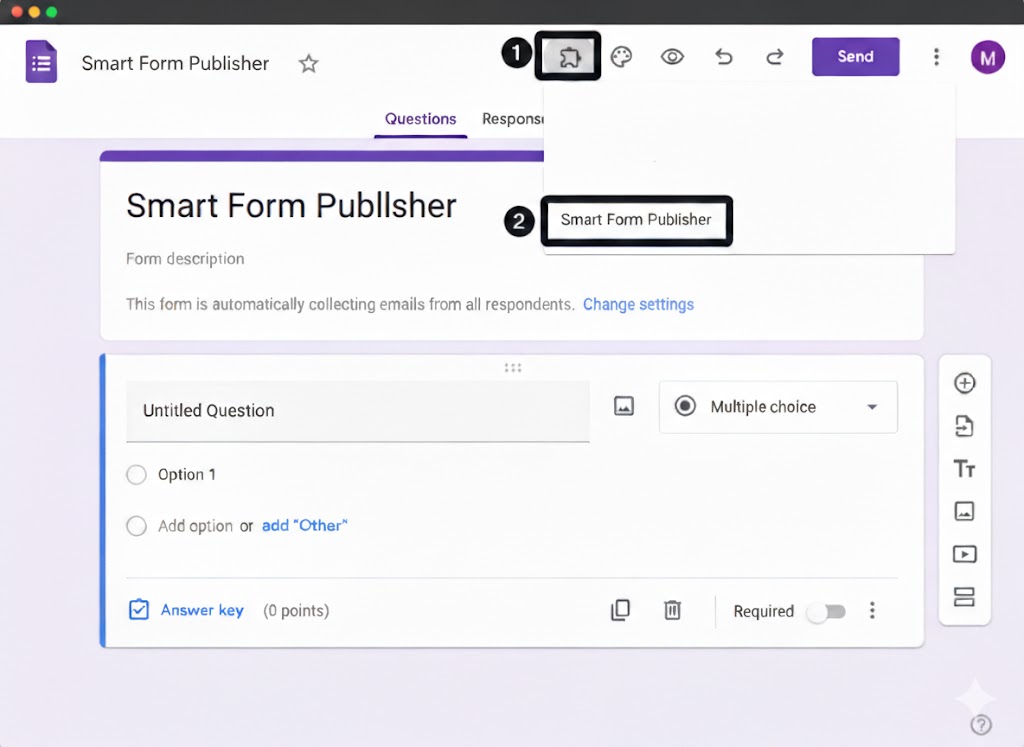
Open Smart Form Publisher
Launch the Smart Form Publisher add-on directly within your Google Form
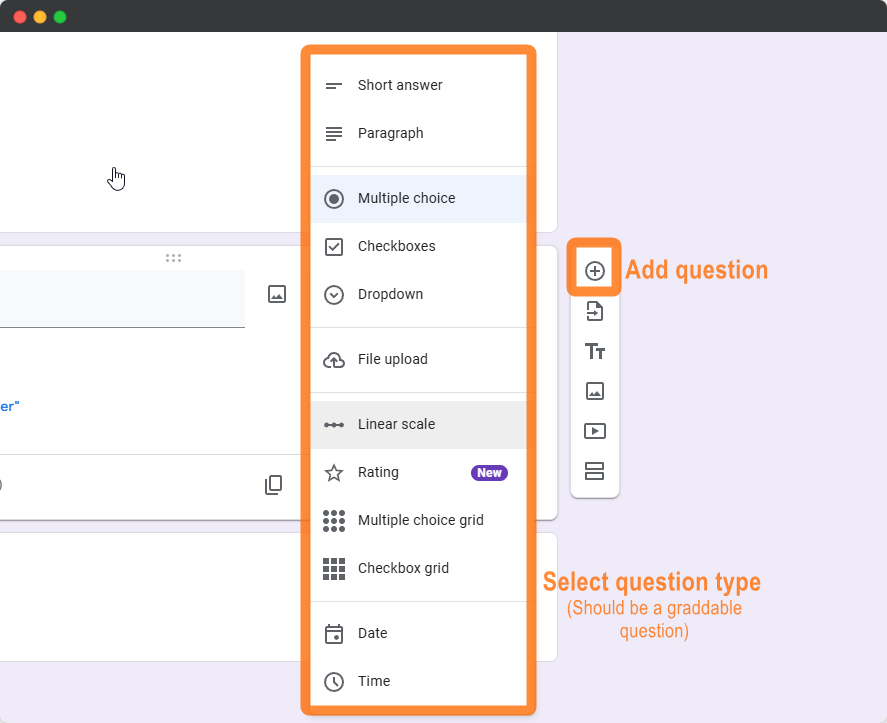
Add Form Question
Add any question to your form that captures information you want to include in your generated document.You can map any form question — such as Name, Email, Order ID, or Feedback — directly to placeholders in your document template.
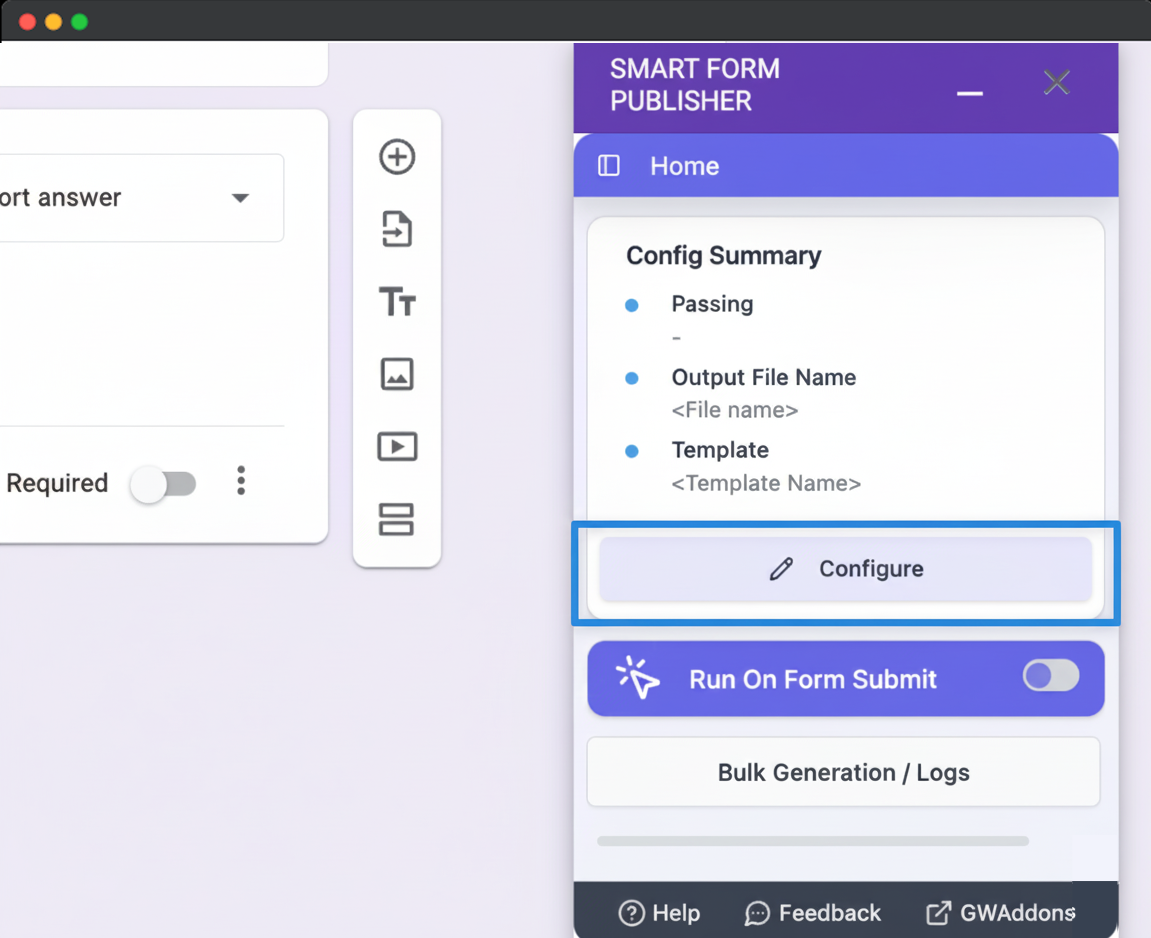
Configure
Click the Configure button to open the document configuration dialog. This is where you can customize how your documents are generated.
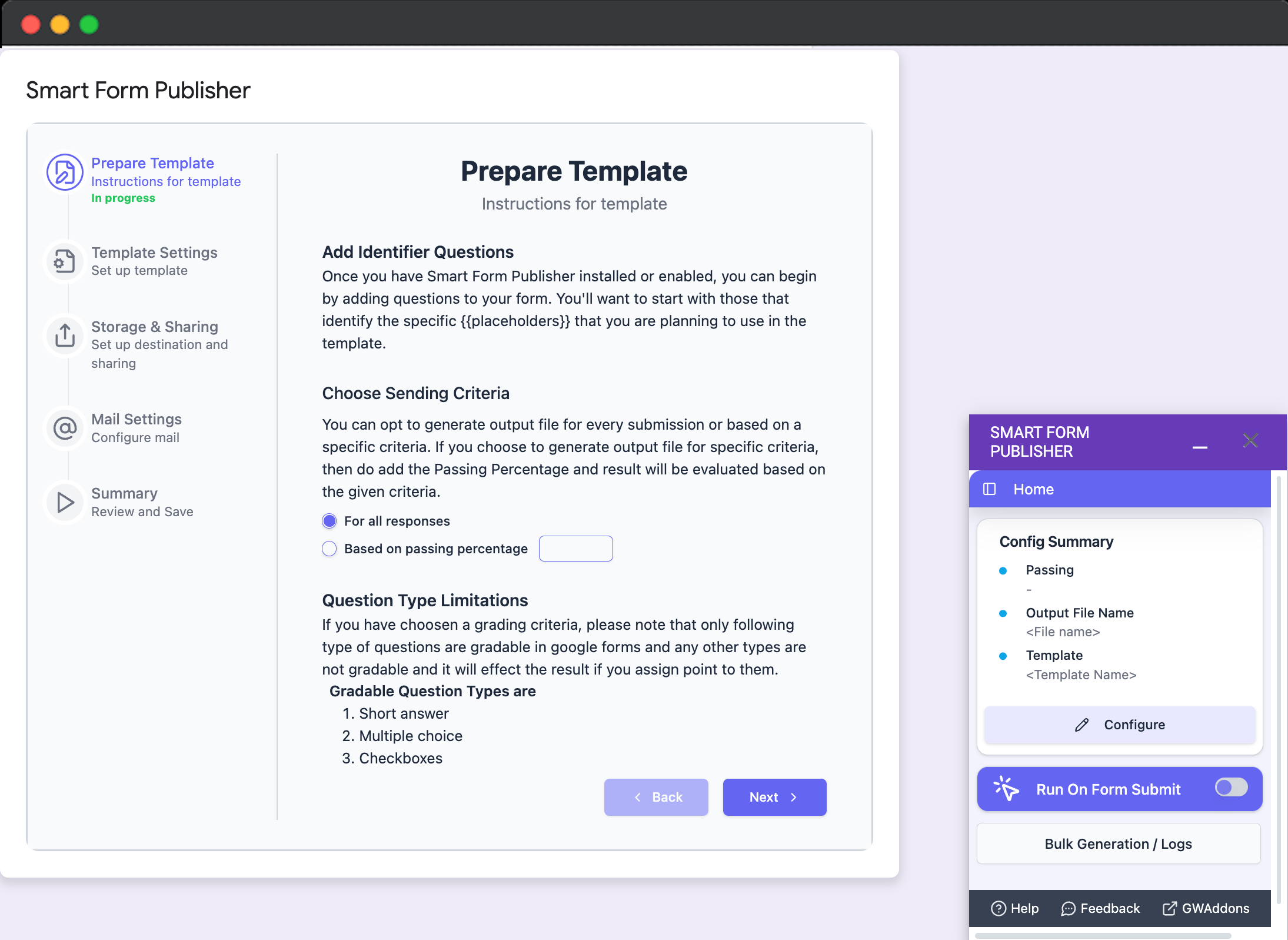
Prepare Form
Choose when to generate documents — for all form submissions or only when specific conditions are met.
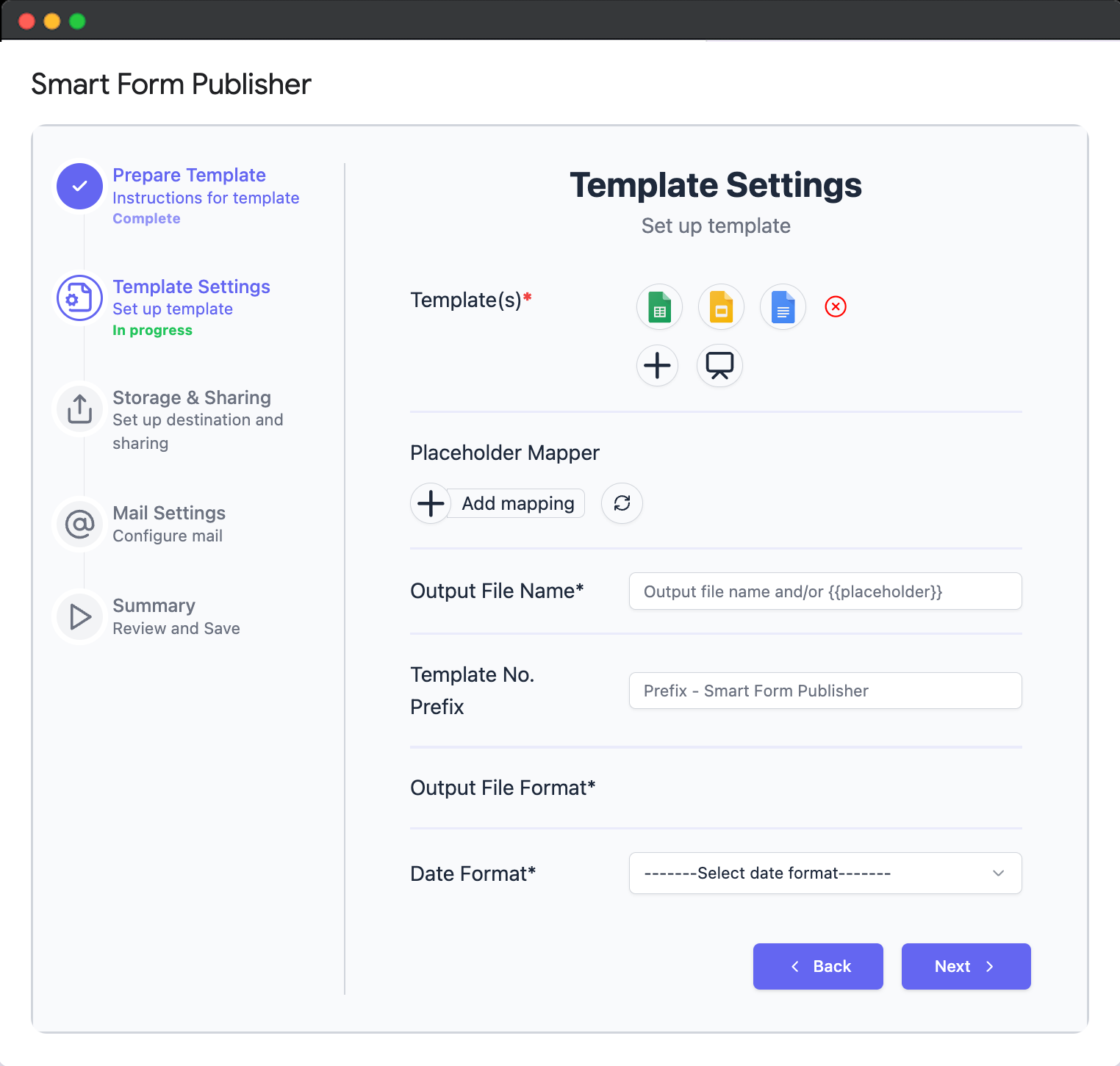
Template Settings
Document Settings — Configure your template, map placeholders to form questions, and set output options for automated document creation.
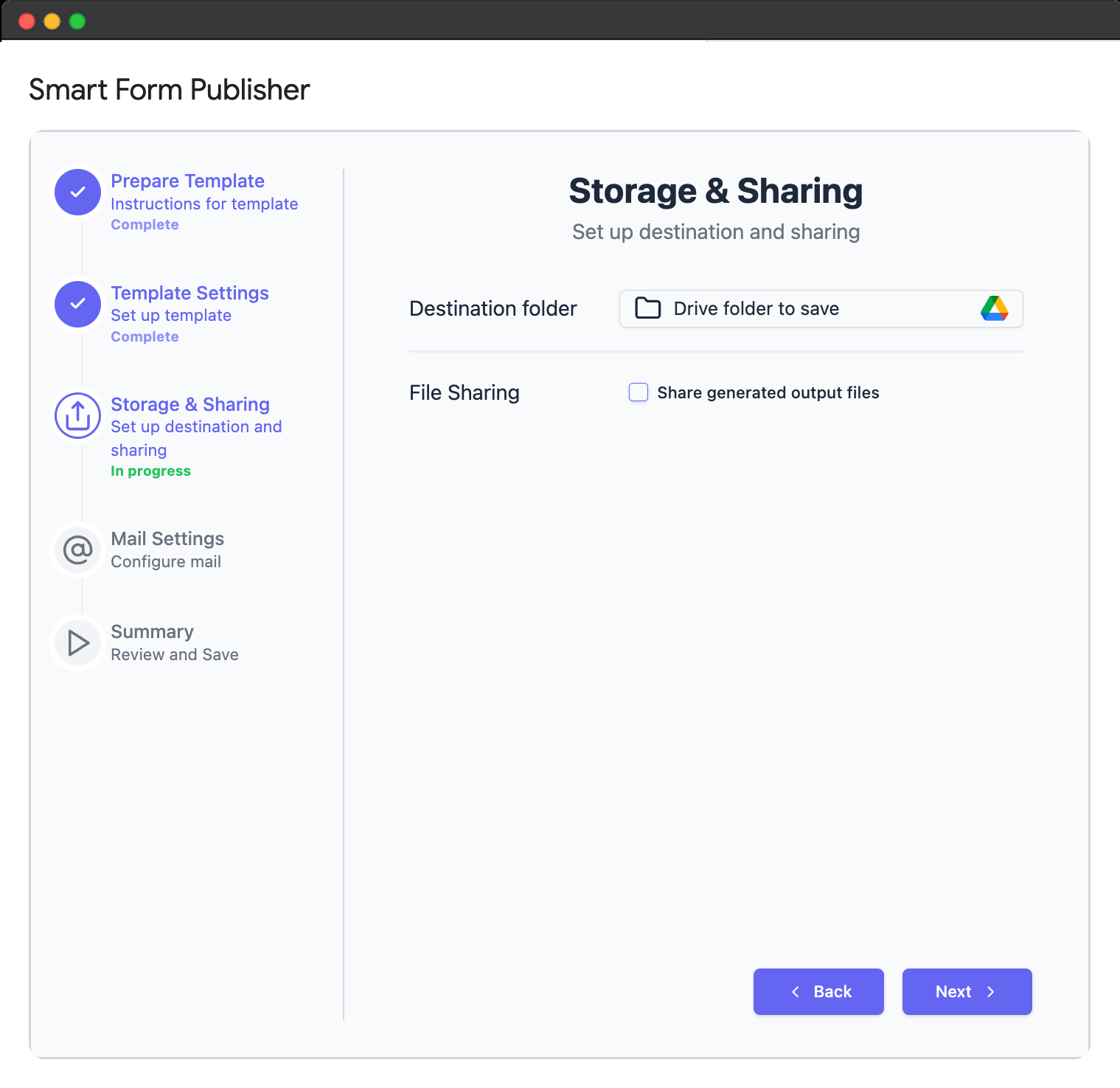
Storage & Sharing
Choose a Google Drive folder to store generated documents and enable file sharing for easy access and collaboration.
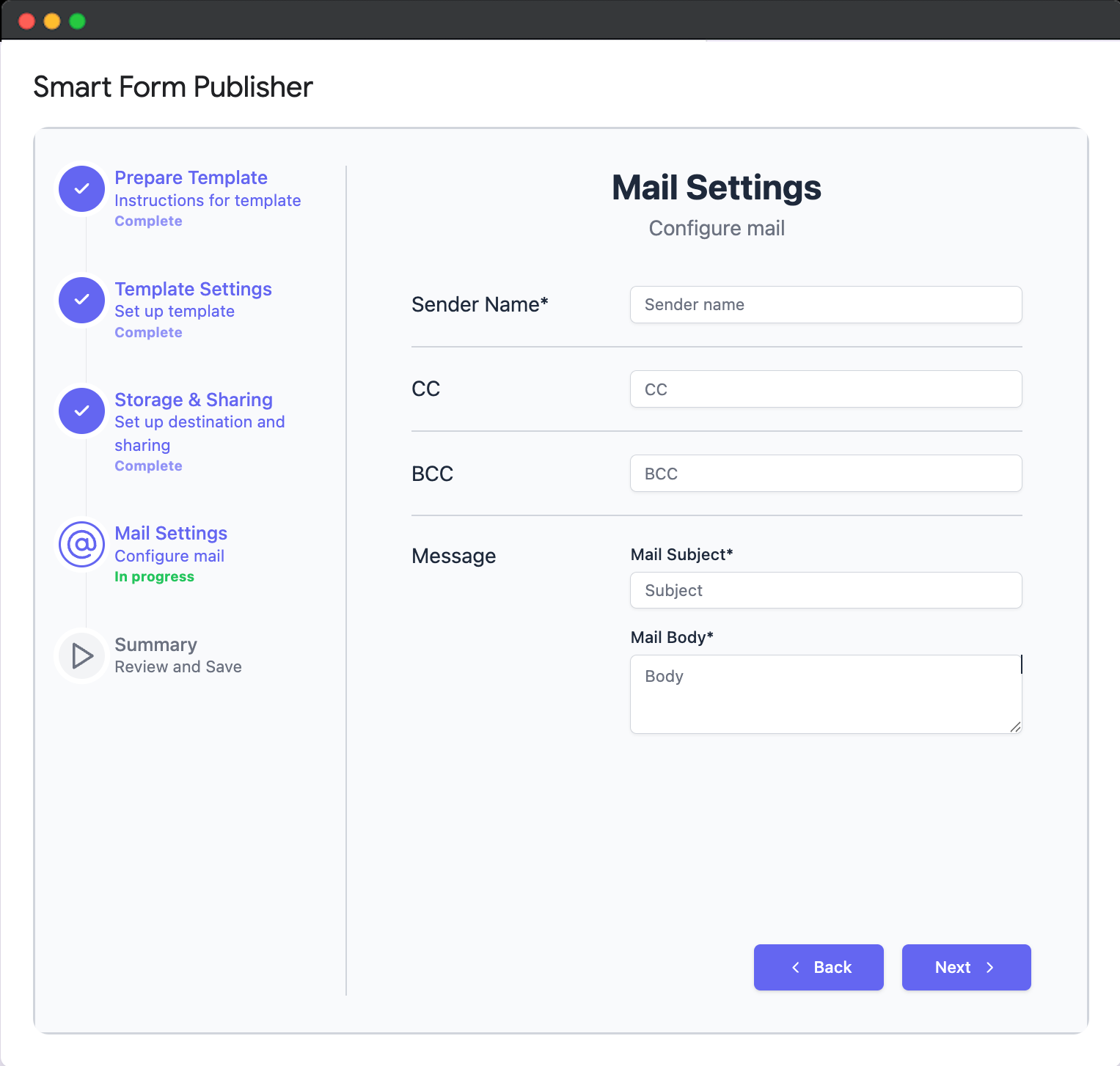
Mail Settings
Configure Email Settings — Set up automated email delivery rules to send personalized documents to recipients based on form responses or conditions.
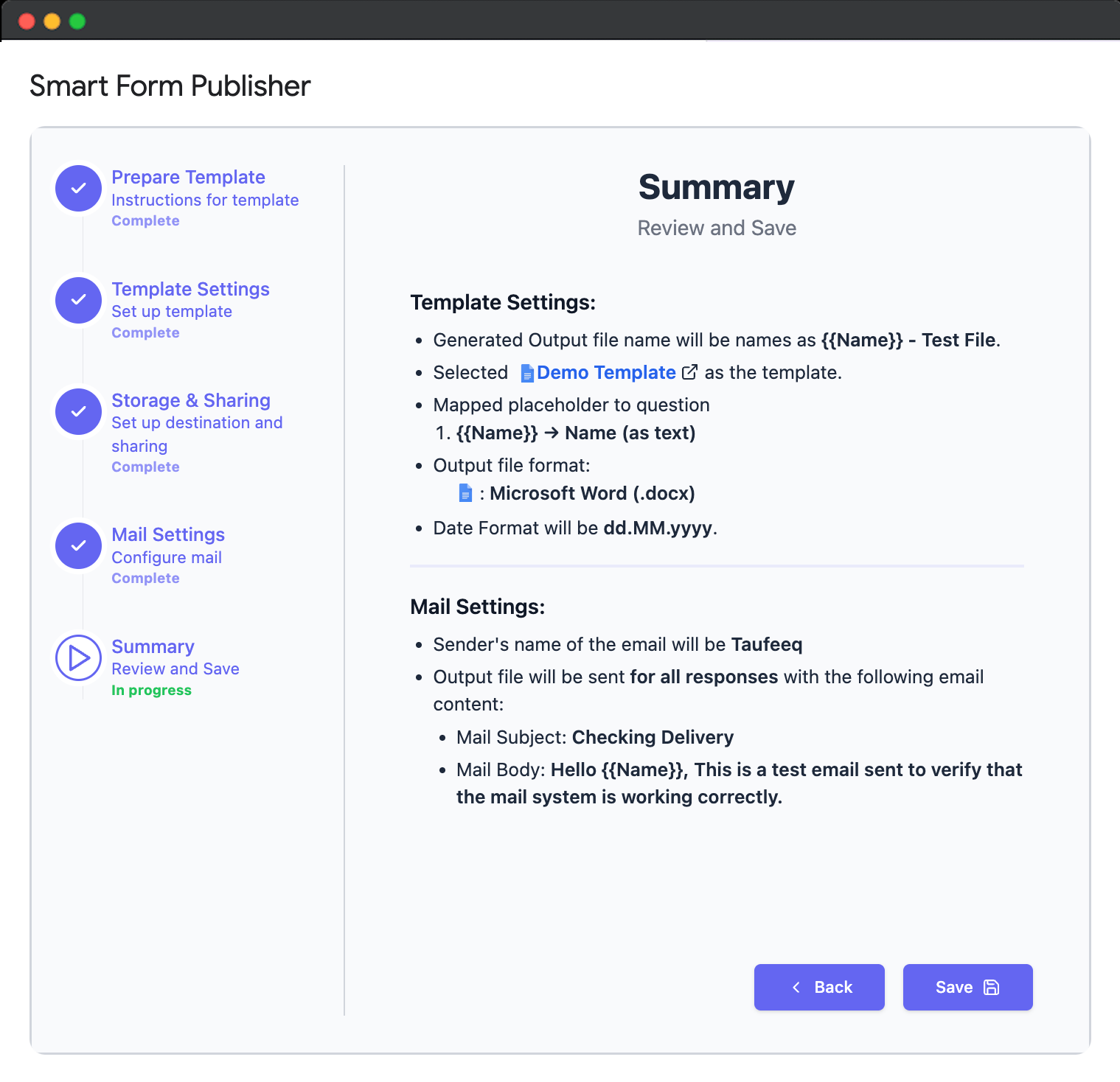
Summary
Review and Save — Check all your configured settings and save them to automatically apply on each form submission.
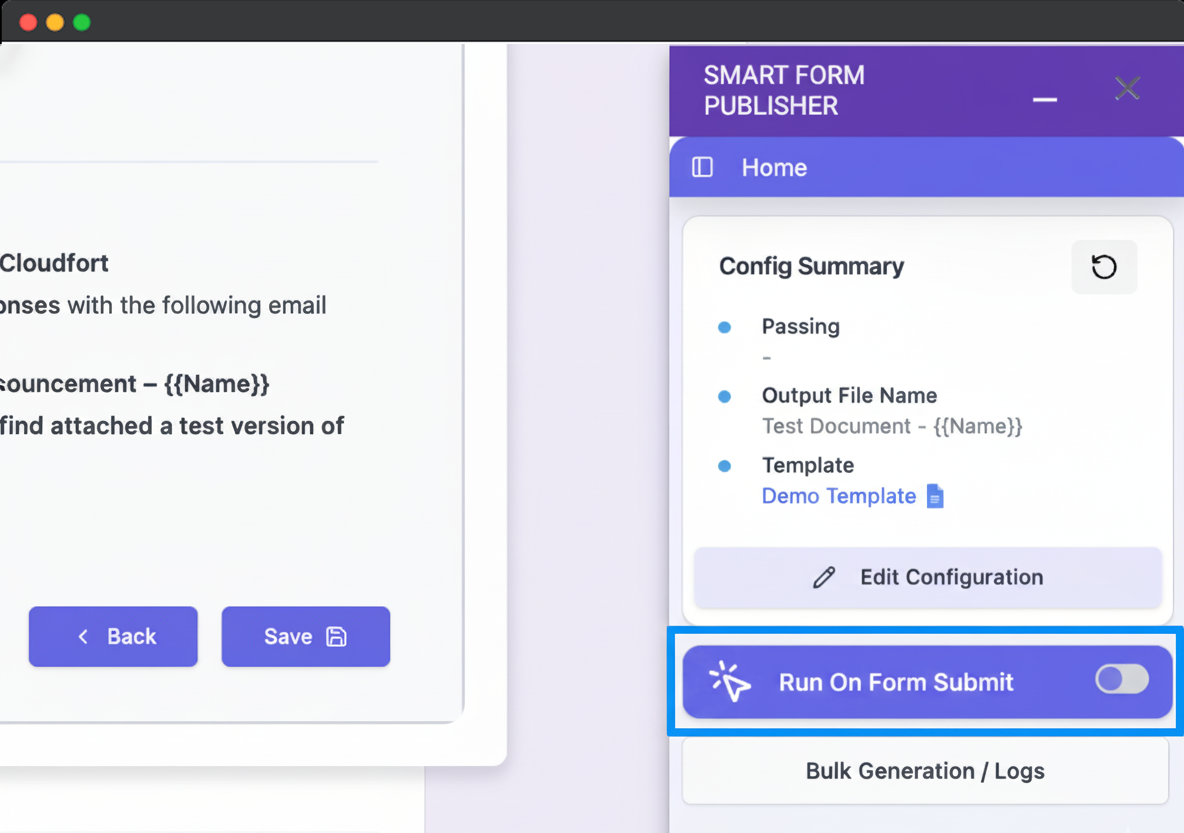
Enable Document Generation
Run on form submit — Turn this on to instantly create and deliver personalized documents automatically with every form submission.
Watch the Tutorial
Prefer watching a video? See Smart Form Publisher in action with our quick start guide.
Ready to start automating?
Install the add-on from the Google Workspace Marketplace and generate your first document in minutes.
Get Started for Free