
Product Update: Dynamic File Naming and Bulk Generation

We are thrilled to announce a highly requested feature update that will give you absolute control over how your generated documents are stored and organized: Dynamic File Naming! Along with significant performance boosts to our Bulk Generation engine, this update makes Smart Form Publisher more powerful and user-friendly than ever before.
The End of "Untitled Document" Clutter
If you generate documents at scale, you know that keeping track of hundreds of PDFs can quickly become a nightmare. Previously, generated files might default to the template's name, leaving you with a Google Drive folder full of identical files like "Invoice Template - Copy". Finding a specific client's file meant you had to open them one by one.
Now, you can use marker tags directly in the output file name setting within the Smart Form Publisher sidebar. By mapping your form questions to the file name, your documents are perfectly labeled the exact millisecond they are generated.
File Name Template Settings:
{{Client Name}} - Invoice #{{Invoice ID}} - {{Timestamp}}
This ensures that every file saved to your designated Google Drive folder is instantly searchable. Need to find Acme Corp's invoice from last Tuesday? Just type "Acme Corp Invoice" into your Drive search bar, and it appears instantly. It is a massive win for compliance, auditing, and general sanity.
Dynamic Email Subjects
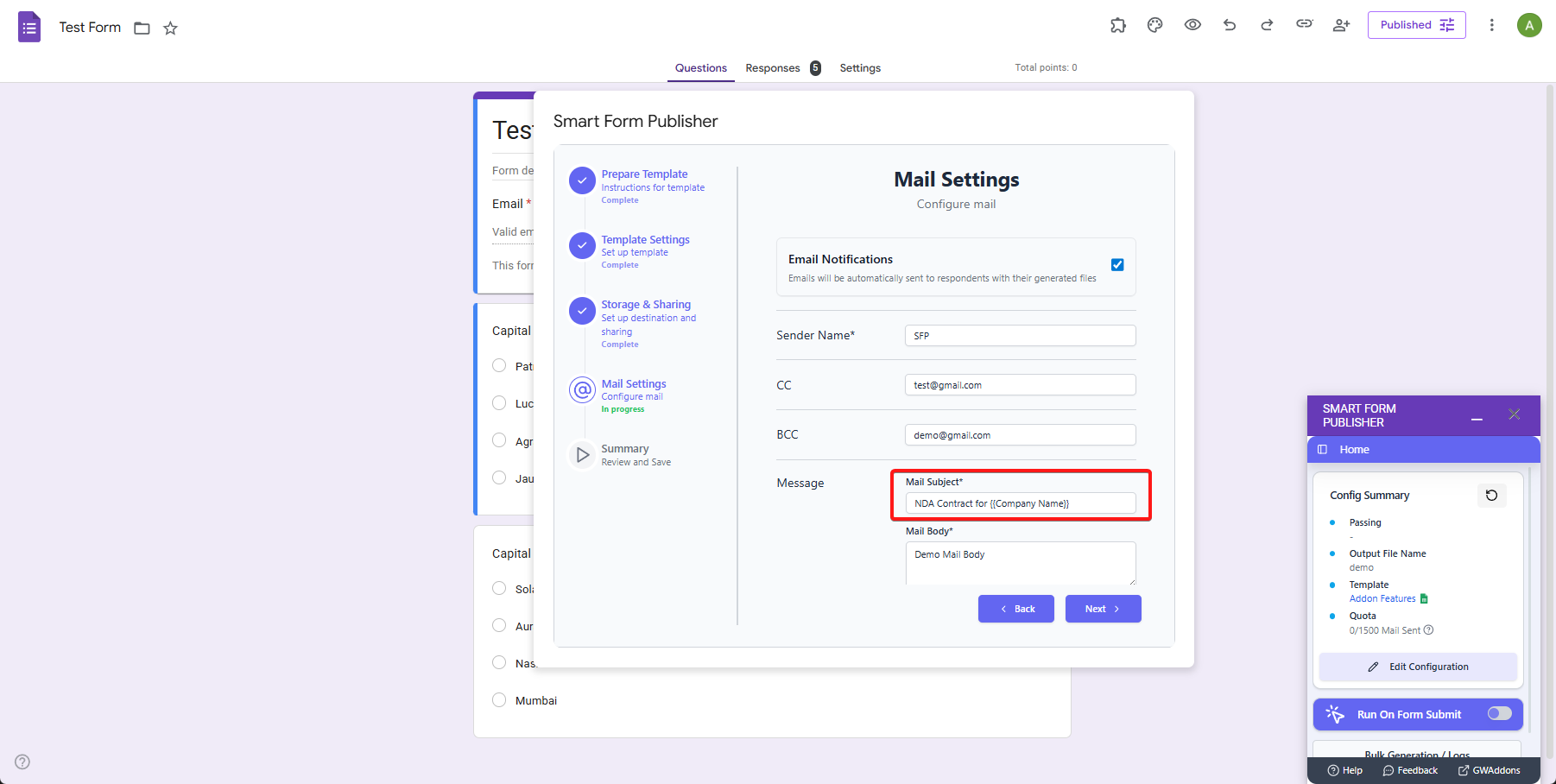
We didn't stop at file names. We've extended this dynamic tagging capability to your automated email distributions. You can now insert form markers directly into your email subject lines. This dramatically increases email open rates and provides immediate context to your recipients, whether they are clients, students, or employees.
Subject: Action Required: NDA Contract for {{Company Name}}
Improved Bulk Generation Engine (40% Faster)
For our power users who process massive lists of data—like teachers generating end-of-term report cards, or event organizers sending out post-webinar certificates—speed and reliability are crucial.
We've completely rewritten our background processing engine. Smart Form Publisher can now handle bulk generation from Google Sheets 40% faster than previous versions. More importantly, we've optimized how the add-on interacts with Google Workspace. Whether you are generating 50 documents or a batch of 500, our system queues and processes them smoothly without unexpectedly hitting Google API rate limits or script timeouts.
How to Get Started
These features are live right now! To use Dynamic File Naming, simply open the Smart Form Publisher add-on in your Google Form or Sheet, navigate to the Output Options tab, and insert your {{Tags}} into the "File Name" field. Experience a cleaner Google Drive and a faster workflow today.