
Automating Tax-Compliant Donation Receipts for Non-Profits
For non-profit organizations, maintaining strong donor relationships is the lifeblood of your mission. A crucial part of that relationship is providing timely, accurate, and tax-compliant donation receipts. However, during major campaigns like Giving Tuesday or the year-end giving season, the sheer volume of paperwork can overwhelm even the most dedicated administrative teams.
The Year-End Administrative Bottleneck
Traditionally, non-profits rely on clunky mail merges using Word and Excel to generate receipts. This process is highly manual, prone to formatting errors, and incredibly stressful when facing an end-of-year deadline. Sending the wrong receipt to a major donor isn't just an administrative error; it's a relationship risk.
Designing a Compliant, Branded Template
Instead of manual data entry, you can connect your donation intake form (or your donor database spreadsheet) directly to Smart Form Publisher. By designing a beautiful template in Google Docs, you can include your organization's logo, your official Tax ID/EIN, the board director's signature, and all required legal language.
OFFICIAL TAX RECEIPT
Organization: [Your Non-Profit Name] | Tax ID: [Your EIN]

Dear {{Donor First Name}},

Thank you for your generous contribution to the {{Campaign Name}}.

Date of Gift: {{Date Received}}
Donation Amount: $ {{Donation Amount}}
Payment Method: {{Payment Type}}

No goods or services were provided in exchange for this contribution. Please retain this letter for your tax records.

With gratitude,
[Director Signature]
Executive Director
Two Ways to Automate Your Gratitude
Smart Form Publisher supports the two most common ways non-profits issue receipts:
- Instant Receipts: If you use a Google Form to log manual donations (like checks or cash from an event), Smart Form Publisher can generate and email the PDF receipt to the donor the exact second you hit "Submit."
- End-of-Year Bulk Generation: Many donors prefer one consolidated receipt for their taxes. You can compile your yearly donation records in a Google Sheet and use the add-on's bulk engine to generate and email hundreds of end-of-year tax statements with a single click.
Heartfelt, Automated Emails
A receipt shouldn't feel like a transaction—it should feel like a genuine "thank you." Smart Form Publisher allows you to customize the email body that delivers the attached PDF. You can use marker tags to personalize the message and remind the donor of the impact their specific gift is making.
Subject: Thank you, {{Donor First Name}}! Your tax receipt is inside.

Hi {{Donor First Name}},

Because of your generous gift of $ {{Donation Amount}}, we are one step closer to reaching our goal for the {{Campaign Name}}.

Attached is your official tax receipt for your records. If you have any questions, please reach out to our team at any time.

Thank you for being a champion of our cause!
Audit-Ready Record Keeping
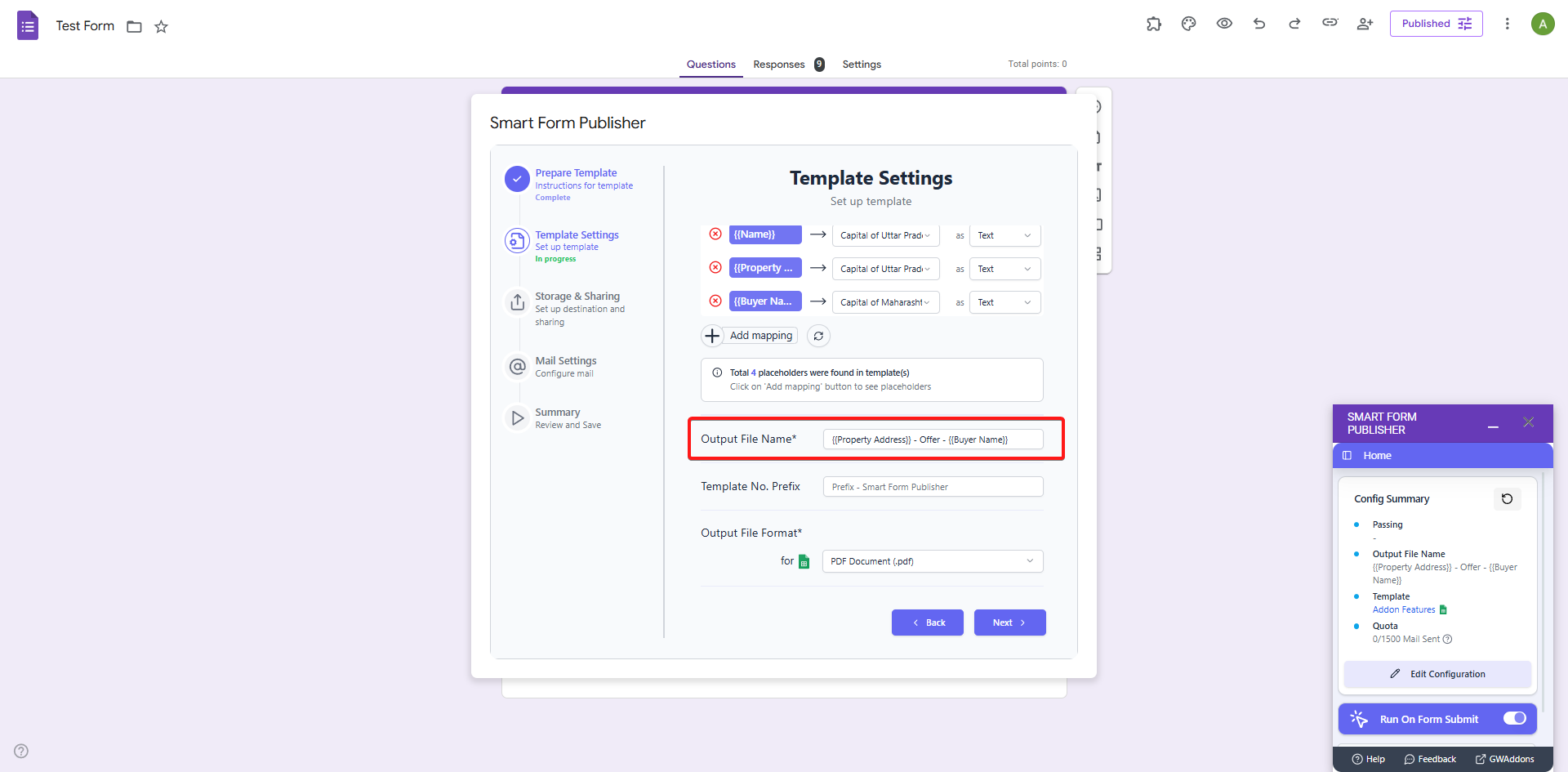
For financial compliance, non-profits must keep pristine records of all issued receipts. Utilizing the Dynamic File Naming feature, Smart Form Publisher automatically saves a backup of every generated PDF into a specific Google Drive folder, neatly named (e.g., 2024-TaxReceipt-{{Donor Last Name}}.pdf). When audit season arrives, your records are already flawlessly organized.
By automating your donation receipts with Smart Form Publisher, you ensure 100% tax compliance, eliminate data entry errors, and free up your team to focus on what truly matters: advancing your mission and connecting with your supporters.